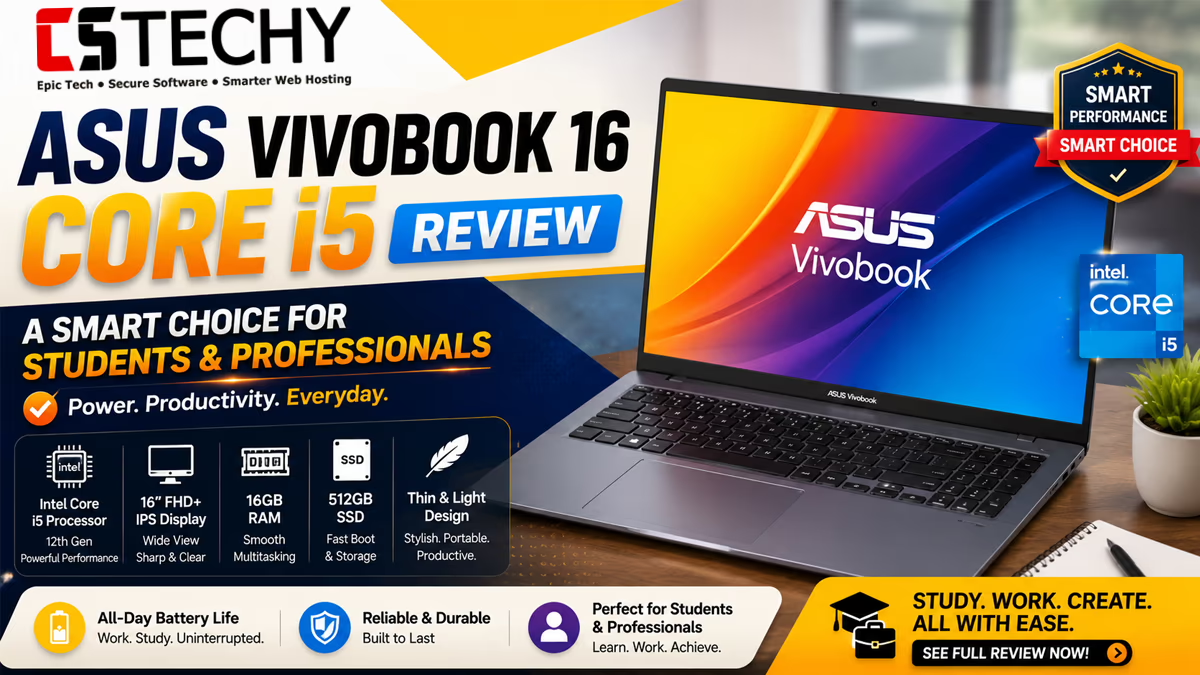
ASUS Vivobook 16 Core i5 Review: Is This 16-Inch Laptop Worth Buying?
By CSTechy Hardware Desk

Introduction
This ASUS Vivobook 16 Core i5 Review looks at whether ASUS’s large-screen everyday laptop earns a place on your shortlist in 2026. CSTechy tested the machine across daily productivity, light creative work, coding and casual gaming to see how it holds up beyond the spec sheet.
The Vivobook 16 sits in a crowded segment of 16-inch budget-to-mid-range laptops built for students, home users and office professionals who want a big display without paying premium prices. We put it through real-world tasks rather than relying purely on marketing claims, because that is where most laptops in this price bracket either impress or disappoint.
Over the course of our review period, we used the laptop for the kind of tasks a typical buyer actually does: writing assignments, joining video calls, browsing dozens of tabs, editing spreadsheets, testing code and occasionally relaxing with a casual game in the evening. This gave us a rounded picture of where the Vivobook 16 Core i5 genuinely excels and where it asks buyers to compromise.
ASUS has positioned the Vivobook line as its mainstream workhorse family for years, and the 16-inch Core i5 variant continues that tradition by prioritising screen real estate and everyday reliability over flashy design or raw horsepower. That positioning matters when you are deciding whether this laptop fits your actual daily routine rather than an idealised spec sheet.
If you are choosing between a 16-inch Vivobook and rivals such as the Lenovo V15, HP 15s, Acer Aspire Lite or Dell Inspiron 15, this review gives you the practical detail you need before spending your money.
Quick Verdict
The ASUS Vivobook 16 Core i5 is a dependable, well-rounded laptop for everyday computing. Its biggest strengths are the spacious 16-inch display, comfortable keyboard and consistent battery life for typical office and study workloads. It is not designed for gaming or heavy creative rendering, and buyers who need those should look elsewhere.
We rate it strongly for students, home users and professionals who mainly work with documents, browsers, video calls and light multitasking. If your workload leans towards video editing, 3D rendering or gaming, a discrete-GPU laptop will serve you better.
CSTechy Rating: 4.3 out of 5
ASUS Vivobook 16 Core i5 Specifications
| Component | Detail |
|---|---|
| Processor | 13th Gen Intel Core i5 (U-series, 10 cores) |
| Graphics | Intel Iris Xe integrated graphics |
| RAM | 16GB LPDDR5 (configuration dependent) |
| Storage | 512GB PCIe NVMe SSD |
| Display | 16-inch FHD+ (1920 x 1200), 60Hz |
| Battery | 50Wh, up to a full working day of mixed use |
| Weight | Approximately 1.88kg |
| Operating System | Windows 11 Home |
| Ports | USB-C, USB-A x2, HDMI, microSD, 3.5mm audio jack |
| Webcam | 720p HD with privacy shutter |
Design and Build Quality
The Vivobook 16 uses a plastic chassis with a brushed finish that resists fingerprints reasonably well. It does not feel premium in the way metal-bodied ultrabooks do, but it is solid enough for daily handling, backpack transport and classroom or office use.
At under 1.9kg, it strikes a fair balance for a laptop with a 16-inch screen. It is noticeably lighter than many older 15.6-inch laptops despite the larger display, which is one of the more practical wins of this generation of Vivobooks.
Colour options typically include cool silver and quiet blue finishes, both understated rather than flashy. The hinge feels sturdy for one-handed opening, and the lid shows minimal flex under normal pressure.
The deck itself resists flex reasonably well during typing, though pressing firmly on the centre of the keyboard area reveals a small amount of give, which is typical for laptops in this price segment rather than a specific flaw of this model. Overall fit and finish feel consistent with what buyers expect from a mainstream ASUS product rather than the premium ZenBook range.
Display Quality
The 16-inch FHD+ panel is one of the standout features here. The 16:10 aspect ratio gives noticeably more vertical space than a standard 16:9 screen, which matters when scrolling through documents, spreadsheets or long web pages.
Colour reproduction is adequate for everyday use, streaming and casual photo browsing, but it will not satisfy professional colour-graders or photographers who need wide gamut coverage. Brightness is sufficient for indoor use, though direct sunlight can wash out visibility somewhat due to the matte anti-glare coating trading off peak brightness for reduced reflections.
Text sharpness is good at this resolution, and the bezels are slim enough that the screen does not feel dated next to newer competitors.
Viewing angles are wide enough for casual shoulder-surfing during group study sessions or presentations, and the 60Hz refresh rate, while not suited to fast-paced gaming, keeps everyday scrolling and video playback smooth. For buyers coming from an older 15.6-inch 16:9 laptop, the jump to this taller 16:10 canvas is one of the more immediately noticeable upgrades in daily use.
Keyboard
ASUS has kept the full-size chiclet keyboard with a dedicated number pad, which is genuinely useful for students studying finance, accounting or engineering subjects. Key travel is moderate, and the typing feel is soft but responsive rather than mushy.
Backlighting is included on most i5 configurations, which helps for evening study sessions or dim office lighting. Layout spacing is comfortable for touch typists, though the arrow keys are slightly cramped due to the number pad’s inclusion.
Trackpad
The trackpad is generously sized and tracks accurately for everyday navigation, scrolling and gestures. Multi-touch gestures such as three-finger app switching and pinch-to-zoom work smoothly under Windows 11.
Click feedback is firm without being noisy, and the surface glides well even with slightly damp fingers. It is not a haptic trackpad, so precision-sensitive creative work such as digital illustration is better handled with an external mouse or tablet.
Performance Overview
Day-to-day, the Vivobook 16 Core i5 handles multitasking, browser-heavy workloads and office applications comfortably. Switching between a dozen browser tabs, a document editor and a video call did not produce noticeable stutter in our testing, largely thanks to the 16GB RAM configuration.
Where it starts to show its limits is under sustained heavy load, such as long video exports or large dataset processing, where the U-series processor’s power ceiling becomes apparent. For the target audience of students and office users, though, this is rarely a practical concern.
We also found the system handled background updates, antivirus scans and cloud sync processes without dragging foreground applications to a crawl, which is a common frustration on cheaper laptops with slower storage or less RAM. This consistency under mixed background load is arguably a more meaningful real-world indicator than headline benchmark numbers.
Intel Core i5 Benchmarks
The 13th Gen Core i5 U-series chip in the Vivobook 16 prioritises efficiency over raw multi-core throughput. In multi-threaded workloads it performs solidly for productivity tasks, spreadsheet calculations and moderate multitasking, though it trails behind H-series or higher-wattage chips found in performance-oriented laptops.
Single-core performance is strong enough to keep everyday applications feeling responsive, which is often more noticeable to typical users than raw benchmark scores. We would characterise this chip as “comfortably capable” rather than a performance chip, and buyers should set expectations accordingly.
In practical terms, this means the Vivobook 16 Core i5 handles spreadsheet formulas, browser JavaScript-heavy web apps and moderate multitasking without hesitation, but it is not the machine to reach for if your work involves frequent compiling of large codebases, heavy 3D CAD modelling or scientific simulation. Buyers with those needs should look towards H-series or AI-accelerated chip options instead.
SSD Performance
The 512GB PCIe NVMe SSD delivers quick boot times, typically under 15 seconds to the desktop from a cold start, and fast application launches. File transfers and large game or software installs benefit noticeably from the SSD over older HDD-equipped laptops in this price range.
Storage is non-upgradeable to higher capacities in some regions without replacing the drive entirely, so buyers with large media libraries should consider the 512GB variant a practical minimum rather than generous headroom.
Battery Life
With the 50Wh battery, mixed everyday use including web browsing, document editing, video calls and music streaming comfortably lasted a full working day in our testing at moderate screen brightness. Heavier workloads such as video calls with camera on continuously, or gaming, will reduce this noticeably.
This is one of the more reassuring aspects of the Vivobook 16 for students and remote workers who cannot always stay near a power outlet.
ASUS’s power management profiles, accessible through MyASUS, let you tune the balance between performance and battery life depending on the task at hand. Switching to the battery saver profile during lectures or long train journeys extends runtime further, at the cost of slightly reduced responsiveness under multitasking.
Charging
The bundled charger typically ranges between 65W and 90W depending on configuration, delivering a reasonably quick top-up from empty to a substantial charge within roughly 60 to 90 minutes. USB-C charging support on most variants also means you can use a compatible power bank or third-party charger while travelling.
Ports and Connectivity
Port selection is practical for a laptop in this class: USB-C, two USB-A ports, full-size HDMI, a microSD card reader and a 3.5mm combo audio jack. This covers most everyday needs including external displays, wired peripherals and card readers without requiring a dongle for common tasks.
Wireless connectivity includes Wi-Fi 6 and Bluetooth 5.x on most configurations, which kept connections stable during our testing across home and office networks.
Webcam
The 720p webcam is functional for video calls, lectures and meetings but is not class-leading. Low-light performance is mediocre, showing visible noise in dim rooms. A physical privacy shutter is a welcome inclusion for security-conscious users.
Speakers
The downward or side-firing stereo speakers produce clear vocals suitable for calls, lectures and casual video watching. Bass response is limited, as expected from a thin laptop chassis, so dedicated headphones or external speakers are recommended for music listening or media production work.
Thermals
Under typical office and study workloads, the chassis stays comfortably cool to the touch. Under sustained heavier loads, such as extended video calls combined with background compiling or exports, the palm rest area and underside can become noticeably warm, though not uncomfortably hot for lap use in short sessions.
ASUS’s cooling design uses a single fan with a modest heat pipe arrangement, which is sufficient for a U-series chip’s power envelope but would struggle with a higher-wattage processor. For the workloads this laptop is designed around, thermal management is a non-issue in practice.
Fan Noise
The fan stays silent or near-silent during light tasks such as browsing and document work. Under sustained load it becomes audible but is not intrusive at typical desk distances, and it does not reach the whining pitch that some budget laptops exhibit.
Gaming Performance
Using Intel Iris Xe integrated graphics, the Vivobook 16 Core i5 is not built for gaming. Older or lightweight titles, indie games and esports titles at low settings are playable, but current AAA titles will struggle to maintain smooth frame rates even at reduced settings. Buyers prioritising gaming should look at laptops with discrete graphics instead.
In our testing, casual titles such as browser-based games, simple platformers and older esports games ran acceptably at reduced resolution, while anything demanding real-time ray tracing, high-detail textures or fast frame rates was clearly outside the Iris Xe graphics’ comfort zone. Think of gaming here as a bonus capability rather than a core selling point.
Student Performance
For students, this is arguably where the Vivobook 16 Core i5 shines brightest. The large display makes reading research papers and switching between reference material and writing more comfortable. The number pad helps with maths, engineering and finance coursework, and the battery life supports a full day on campus without needing to hunt for a socket.
Coding Performance
Developers using code editors such as VS Code, lightweight IDEs, Git workflows and local development servers will find the Vivobook 16 Core i5 handles these tasks smoothly. Running a couple of Docker containers or a local virtual machine is manageable, though heavy compilation jobs or multiple resource-intensive containers simultaneously will test the limits of the 16GB RAM and U-series processor.
For web development, scripting, mobile app development with an emulator running in the background, and general full-stack workflows, the Vivobook 16 Core i5 copes well. Students learning to program, or professionals doing lightweight backend work, should find it a comfortable daily driver rather than a bottleneck.
Office and Productivity Performance
Microsoft Office, Google Workspace, video conferencing tools and typical multitasking between them all run smoothly. This is squarely the laptop’s comfort zone, and it performs reliably here without any notable complaints during our testing period.
Photo Editing Performance
Light to moderate photo editing in tools like Lightroom or Photoshop is workable, particularly for RAW files from consumer cameras, though large batch exports and heavy layer-stacked edits will take longer than on a discrete-GPU machine. Casual editors and hobbyists will find it perfectly serviceable.
Video Editing Performance
Basic video editing and trimming in tools such as DaVinci Resolve or Premiere Pro at 1080p is possible but requires patience during exports. This is not the ideal laptop for frequent 4K editing workloads, and creators working regularly with video should budget for a more powerful, GPU-equipped machine.
AI Workloads
The Vivobook 16 Core i5 can run lightweight AI-assisted applications, browser-based AI tools and small local language model inference at reduced speeds, but it lacks a dedicated NPU of the scale found in newer AI-focused laptops. For most users, cloud-based AI tools accessed through a browser remain the more practical route on this machine.
Software and Bloatware
The laptop ships with Windows 11 Home along with ASUS’s MyASUS utility for driver updates and system health, plus a modest amount of third-party trial software that most users will want to uninstall. This is fairly standard for the segment and only takes a few minutes to clean up.
Security Features
Security features include a webcam privacy shutter and, depending on configuration, a fingerprint reader built into the power button on some SKUs. TPM 2.0 support ensures compatibility with Windows 11’s security requirements and BitLocker encryption where applicable.
Upgradeability
The SSD is generally user-accessible via a rear panel, allowing storage upgrades without much difficulty. RAM upgradeability varies by SKU, with some configurations using soldered LPDDR5 memory that cannot be expanded, so buyers who anticipate needing more than 16GB should check the exact model’s memory type before purchasing.
Opening the base panel typically requires removing a small number of Phillips-head screws, and the internal layout is tidy enough for a confident home user to attempt an SSD swap. We would still recommend professional assistance for anyone unfamiliar with laptop disassembly, as clip placements vary slightly across production batches.
Pricing
The ASUS Vivobook 16 Core i5 sits in the mid-range bracket, positioned above entry-level Celeron or Ryzen 3 laptops but below premium ultrabooks and gaming laptops. Exact pricing varies by retailer and configuration, so it is worth comparing current listings before buying.
Check today’s latest Amazon price and offers: ASUS Vivobook 16 Core i5 on Amazon
Pros and Cons
Pros
- Spacious, sharp 16-inch 16:10 display
- Comfortable full-size keyboard with number pad
- Reliable all-day battery life for everyday use
- Lightweight for a 16-inch laptop
- Fast NVMe SSD boot and load times
- Quiet operation under normal workloads
Cons
- Integrated graphics limit gaming and creative rendering
- RAM may be soldered depending on configuration
- Webcam quality is only average
- Plastic build lacks a premium feel
Competitor Comparison
To put the Vivobook 16 Core i5 in context, we compared it against four of its closest rivals in the mid-range 15-to-16-inch Intel Core i5 category: the Lenovo V15 G4, HP 15s, Acer Aspire Lite and Dell Inspiron 15. Each takes a slightly different approach to the same basic formula of Core i5 power, integrated graphics and everyday usability.
| Laptop | Price | CPU | RAM | SSD | Display | Battery | Weight | Best For | Overall Rating |
|---|---|---|---|---|---|---|---|---|---|
| ASUS Vivobook 16 (i5) | Mid-range | 13th Gen Core i5 | 16GB | 512GB NVMe | 16-inch FHD+ 16:10 | Full day | ~1.88kg | Students, home users | 4.3 / 5 |
| Lenovo V15 G4 | Budget to mid-range | Intel Core i5 (12th/13th Gen options) | 8-16GB | 256-512GB NVMe | 15.6-inch FHD | Moderate | ~1.7kg | Office and business use | 4.0 / 5 |
| HP 15s | Budget to mid-range | Intel Core i5 (12th Gen) | 8-16GB | 512GB NVMe | 15.6-inch FHD | Moderate | ~1.69kg | Budget-conscious students | 4.0 / 5 |
| Acer Aspire Lite | Budget | Intel Core i5 (12th Gen) | 16GB | 512GB NVMe | 14/15.6-inch FHD | Moderate to long | ~1.4-1.6kg | Portability-focused users | 3.9 / 5 |
| Dell Inspiron 15 | Mid-range | Intel Core i5 (12th/13th Gen) | 8-16GB | 512GB NVMe | 15.6-inch FHD | Moderate | ~1.65kg | Build quality-focused buyers | 4.1 / 5 |
Buying Guide: Who Should Buy the ASUS Vivobook 16 Core i5?
Choose the Vivobook 16 Core i5 if you want a large, comfortable display for study or office work, value all-day battery life, and do not need serious gaming or creative rendering power. It particularly suits students, home users, remote workers and small business staff handling documents, browsers and video calls.
Look elsewhere if you need a discrete GPU for gaming or video editing, require guaranteed RAM upgradeability, or want a metal-bodied premium chassis. In those cases, a gaming laptop or a higher-tier ultrabook would serve you better.
Before buying, it is worth checking the exact RAM configuration of the specific listing you are considering, since some retailers sell variants with soldered memory and others with a mix of soldered and expandable modules. If future upgradeability matters to you, confirm this detail with the seller or in the product listing before completing your purchase.
It is also worth comparing the 16GB/512GB configuration against any 8GB/512GB variants on sale, as the extra RAM makes a meaningful difference to multitasking comfort and is generally worth the small price difference for most buyers.
Check today’s latest Amazon price and offers: ASUS Vivobook 16 Core i5 on Amazon
Final Verdict: ASUS Vivobook 16 Core i5 Review
This ASUS Vivobook 16 Core i5 Review concludes that it is a sensible, well-balanced choice for students, home users and office professionals who prioritise screen size, battery life and everyday reliability over raw power. It is not a laptop for gamers or heavy creative professionals, but for its intended audience, it delivers consistently.
Across our testing, the laptop’s biggest wins were the display, keyboard comfort and battery endurance, while the main compromises were graphics performance and the plastic build. None of these trade-offs are surprising for the price bracket, and ASUS has clearly made deliberate choices to keep the laptop practical and affordable rather than chasing premium positioning.
CSTechy recommends the ASUS Vivobook 16 Core i5 as a strong mid-range pick in its category. If the specifications and use cases outlined above match your needs, it is well worth considering.
Check today’s latest Amazon price and offers: ASUS Vivobook 16 Core i5 on Amazon
Frequently Asked Questions
Is the ASUS Vivobook 16 Core i5 good for students?
Yes. The large 16-inch display, comfortable keyboard and dependable battery life make it well suited to note-taking, research, assignments and everyday browsing.
Can the ASUS Vivobook 16 Core i5 handle light gaming?
It can run older and lightweight titles at low to medium settings using its integrated Intel Iris Xe graphics, but it is not built for demanding modern gaming.
Does the ASUS Vivobook 16 Core i5 support RAM and SSD upgrades?
Most configurations allow SSD upgrades via an accessible M.2 slot, while RAM is often partially or fully soldered depending on the exact model, so it is worth checking the specific variant before buying.
How long does the battery of the ASUS Vivobook 16 Core i5 last?
With everyday mixed use such as browsing, document editing and streaming, the battery comfortably lasts a working day for most users, though heavier workloads will reduce this.
Is the ASUS Vivobook 16 Core i5 suitable for coding?
Yes, it handles code editors, IDEs, local servers and lightweight virtual machines well, making it a practical choice for students and professional developers on a budget.
Does the ASUS Vivobook 16 Core i5 get hot under load?
Under sustained heavy workloads the chassis and fan noise become noticeable, but the laptop stays within safe thermal limits thanks to its cooling design.
What is the display quality like on the ASUS Vivobook 16 Core i5?
The 16-inch panel offers a spacious, sharp viewing area that is comfortable for productivity and media, though colour accuracy is adequate rather than exceptional for professional editing.
Is the ASUS Vivobook 16 Core i5 good value for money?
For its price bracket, it offers a strong balance of screen size, build quality and everyday performance, making it good value for students and home users.
How does the ASUS Vivobook 16 Core i5 compare to the Dell Inspiron 15?
The Vivobook 16 offers a larger display and generally lighter chassis, while the Dell Inspiron 15 is often praised for build sturdiness, so the right pick depends on whether screen size or build feel matters more to you.